

Tuya- Smart Life, Smart Living

10M+
Installs
Tuya Smart Inc.
Developer
-
Lifestyle
Category
-
Everyone
Content Rating
-
https://developerapp.tuyaus.com/protocol/1a81698945002037?lang=en
Privacy Policy
Screenshots
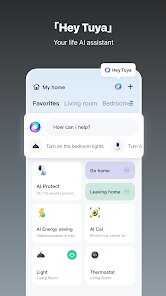
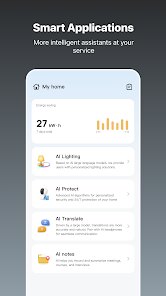
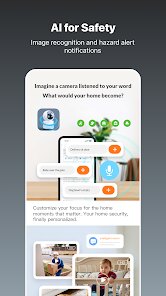
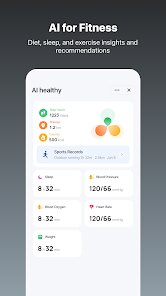
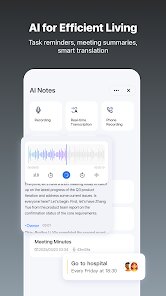
editor reviews
Smart Life is a home automation platform that acts as a central command center for all your compatible smart devices. Rather than juggling multiple apps for different brands of smart plugs, lights, or sensors, this app brings everything under one roof. It's designed for anyone looking to simplify their daily routines through automation, from tech enthusiasts wanting to fine-tune every aspect of their home to busy parents seeking convenience and peace of mind. The app addresses the problem of fragmented smart home ecosystems, where devices from different manufacturers often refuse to talk to each other.
In practice, the core functionality works remarkably well. Pairing new devices is usually just a matter of plugging them in, opening the app, and tapping a few buttons. The app recognizes most Tuya-compatible gadgets quickly. Beyond basic on/off controls, the scene and automation features are where it really shines. You can create a "Good Morning" scene that turns on the coffee maker, raises the blinds, and adjusts the thermostat with a single tap or a scheduled time. I personally use it to automate my plant grow lights based on sunrise times, which has been a game-changer for keeping my indoor garden alive without remembering to flip a switch. While the sheer number of options can initially feel overwhelming, the core tasks are intuitive enough for a beginner to master in an afternoon.
I'd recommend this app to anyone starting their smart home journey, especially if they're budget-conscious and plan to mix and match brands like Gosund, Feit Electric, or other Tuya-based devices. It's most useful for people who want reliable, scheduled automation rather than complex, multi-layered routines. If you just want to turn your porch light on at sunset or set your living room lights to a warm dim at bedtime, Smart Life does the job cleanly without a monthly subscription fee, which is a huge plus.
features
- 🌐 Universal Device Hub: The app's core strength is its broad compatibility with thousands of devices across hundreds of brands, all using the Tuya platform. This means you aren't locked into a single manufacturer. I've mixed a Feit smart switch with a Gosund plug and a random brand of aqara-like temperature sensor, and the app picked them all up without complaint. The initial setup process guides you step-by-step, usually requiring you to put the device into pairing mode and confirm your Wi-Fi network. It's not always instant; sometimes it takes two or three tries to find a stubborn device, but the success rate is high once you get the hang of it.
- ⚙️ Intelligent Automation & Scenes: This is where the app transforms from a simple remote control into a real smart home brain. You can create automations based on time, sunrise/sunset, device status, or even local weather conditions (humidity, temperature). For example, I have an automation that turns on a fan if the indoor temperature exceeds 78 degrees Fahrenheit and it's after 10 AM. Scenes allow you to group multiple actions together; my "Movie Time" scene dims the lights to 20 percent, closes the smart blinds, and turns on the TV's power strip. The logic builder is visual and uses if/and/or conditions, which is surprisingly powerful for a free app.
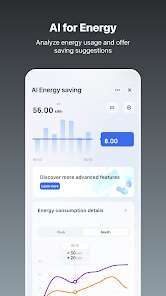
- 📊 Detailed Energy Monitoring & History: For smart plugs that support it, the app provides very granular energy usage data. You can see real-time wattage, daily consumption in kWh, and even estimated cost based on your electricity rate (which you can set manually). This has helped me identify which appliances in my home are the biggest power hogs. The device history log also shows every time a device turned on or off, who triggered it (tap, schedule, or automation), which is invaluable for troubleshooting why the lights turned on in the middle of the night without a logical reason.
- 🗣️ Voice Assistant Integration: The app bridges seamlessly with Amazon Alexa, Google Assistant, and even Siri Shortcuts. Setting up the skills is straightforward, and once linked, voice commands work almost instantly. Saying "Alexa, turn on the kitchen lights" feels natural and reliable. The latency is low, usually under a second, which is a significant improvement over some competing platforms. You can also create routines within Alexa or Google Home that include your Smart Life devices, allowing for cross-platform automations that mix, say, a Tuya bulb with a Nest thermostat.
pros
- 🆓 No Subscription Model: This is a breath of fresh air in the smart home market. You get full access to automations, scenes, voice assistant controls, and energy monitoring without paying a monthly fee. Many competitors lock advanced features behind a paywall, but Smart Life is truly freeware.
- 🔄 Even for a free app, the developers push updates fairly regularly. New device firmware updates are also pushed through the app, improving stability and adding features to your hardware over time without you having to do anything extra. Bugs are patched quietly and quickly.
- 🏗️ The app's server infrastructure is quite robust. Push notifications for motion alerts or device status changes arrive promptly. I've rarely experienced a "device offline" error that wasn't a legitimate Wi-Fi issue. The cloud connectivity feels reliable and fast for remote control when away from home.
cons
- ⏳ The setup process can occasionally be frustrating. While most devices pair easily, some "Smart Life compatible" gadgets from lesser-known brands require you to search for the specific brand name rather than using the standard QR scan. The pairing mode sometimes fails silently, forcing you to restart the process.
- 🗄️ The user interface, while functional, feels a bit dated. The layout hasn't seen a major visual overhaul in years. There's a lot of scrolling involved if you have many devices, and the widget on iOS/Android is minimal and not very interactive compared to Home Assistant or Apple Home widgets.
- 🔒 The automatic grouping feature can be confusing. Sometimes the app will auto-group multiple bulbs in the same room together as a single device, which is fine for control but can be a headache when you want to set different brightness levels or colors for individual bulbs. You have to manually ungroup them in a menu that isn't immediately obvious.
Recommended Apps
![]()
Cartoon Photo Editor
AZ Mobile Software4.5

![]()
Football Wallpaper HD 4K
Orange Infotech Studio4.6![]()
Cool Wallpapers HD Steampunk
Live Wallpapers and Emoji Keyboard Themes4.4![]()
Call Santa Claus - Prank Call
Bravestars Publishing4![]()
AnimalFace - face types test
Lucky Puzzle Team4![]()
SkinSAFE: Ingredient Scanner
SkinSAFE4.3![]()
Fake Chat WhatsMock Text Prank
Playfake4.4![]()
Air Horn Sounds : Siren Prank
AA Studio Game4.6![]()
Chatbot AI & Smart Assistant
Codespace Dijital4.5![]()
PicsApp Photo Editor & Collage
Lyrebird Studio4.2![]()
Sun Signs: Horoscopes
horoscope.com4.3![]()
NAMA: Flower language keyboard
Andromeda App3.7![]()
Doodle Master - Glow Art
Hydodo4.5![]()
QR Code Scanner & Scanner App
QR Code Scanner.4.7![]()
QR & Barcode Reader
TeaCapps4.7














You May Like
-
![]()
Translate- Language Translator
Office Lens: Android Tool, Translate, Scanner, PDF4.6 -
![]()
FalFal: Astrology, Tarot, Love
FalFal Team4.8 -
![]()
Pollo AI: AI Video Generator
COCOSOFT TECHNOLOGY PTE. LTD.4.4 -
![]()
Woofz - Puppy and Dog Training
nove84.4 -
![]()
Tattoo AI - Tattoo Design
HubX4.5 -
![]()
Alien Detector : Alien Radar,
Game Palette4.3 -
![]()
Faladdin: Tarot & Horoscopes
Arteria Yazilim Anonim Sirketi4.9 -
![]()
This Or That Test: Fun Filter
Braly JSC0 -
![]()
Ritmo: Face Aging Editor
Faceplay Reface Face Swap Video Editor4.2 -
![]()
Bugzz: Insect Prank Filters
Smart Utilities Hub3.8 -
![]()
Secret Crush Detector App
Hopeitz Software4.8 -
![]()
Emochi: Chat With Character
FlowGPT4.5 -
![]()
Ancestry: Family History & DNA
Ancestry.com4.1 -
![]()
AXS Tickets
AXS, LLC4.2 -
![]()
Cute Labubu Wallpaper
JJWall4.1













Disclaimer
1.Apponbest does not represent any developer, nor is it the developer of any App or game.
2.Apponbest provide custom reviews of Apps written by our own reviewers, and detailed information of these Apps, such as developer contacts, ratings and screenshots.
3. All trademarks, registered trademarks, brand names and company names or logos appearing on the site are the property of their respective owners.
4.Apponbest abides by the federal Digital Millennium Copyright Act (DMCA) by responding to notices of alleged infringement that complies with the DMCA and other applicable laws.
5.If you are the owner or copyright representative and want to delete your information, please contact us [email protected].
6.All the information on this website is strictly observed all the terms and conditions of Google Ads Advertising policies and Google Unwanted Software policy.
7.apponbest.com is an independent, information-only website which is 100% free to all the users.