

Ai Smart Remote

10K+
Installs
whitesandmedia
Developer
-
Lifestyle
Category
-
Everyone
Content Rating
-
https://aismartremote.com/#/privacy-policy
Privacy Policy
Screenshots
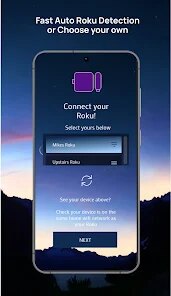
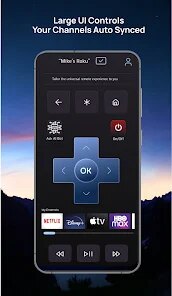
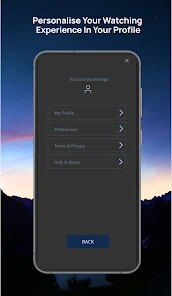
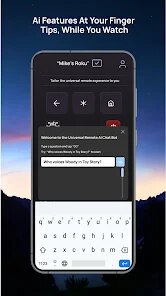
editor reviews
Ai Smart Remote isn't just another universal remote app; it's a genuine attempt to banish the clutter of physical remotes that accumulate on coffee tables. The core premise is straightforward: consolidate all your IR-controlled devices, from televisions and air conditioners to set-top boxes and soundbars, into a single digital interface on your smartphone. The app achieves this through a combination of a built-in IR blaster (on compatible devices) and a Wi-Fi-based connection for those that support it, effectively turning your phone into a powerful command center.
My personal week with the app was surprisingly smooth. The setup process for my aging TV was literally painless. The interface walks you through manufacturer and model selection, and within seconds, it had synced with my television. The real eye-opener was the custom activity feature. I programmed a sequence that switches on my TV, selects the correct HDMI input for my streaming stick, and powers up my soundbar, all with a single tap. This alone has streamlined my evening routine. For someone like me who constantly misplaces physical remotes in sofa cushions, the app's phone-based interface has been a genuine lifesaver, turning a daily frustration into a non-issue.
The app's value hinges on your hardware's compatibility. For those with phones equipped with an IR emitter, the experience is seamless and offers immediate value. The free tier is generous enough for basic control, but power users will find the premium version's macro creation and scheduling features worth the moderate cost. I would heartily recommend this app to anyone who owns a collection of older IR-controlled devices and wants a streamlined, single-point control solution. It's particularly suited for home entertainment enthusiasts who want to automate their viewing setup without investing in expensive smart home hubs.
features
- 🔧 Universal Device Compatibility: The app's primary strength lies in its expansive database of IR codes. It supports an staggering number of brands for TVs, air conditioners, projectors, and more. Even obscure, older models are often found in its library, which removes the fear of the app being useless with your legacy electronics. It acts as a safety net, ensuring that nearly any IR device in your home can be integrated into the system.
- ⚡ Customizable Activity-Based Macros: This is where the app evolves from a simple remote into a smart home tool. You are not just pressing discrete buttons; you are composing sequences. I created a "Movie Night" macro that dims the lights (via a compatible IR light switch), turns on the TV, and launches the streaming app. This level of automation brings a slice of luxury and convenience to daily life, and it is the most compelling reason to upgrade to the paid tier.
- 📱 Clean, Intuitive Interface with Widgets: The user interface is remarkably uncluttered. The app's visual design avoids the common pitfall of overwhelmingly dense button layouts. You can customize the size and placement of buttons to match your most-used functions. Furthermore, the home screen widget is a fast lane to control; I can access my TV's power or volume without even unlocking the app, making the experience feel responsive and immediate.
- ☁️ Cloud Backup for Configurations: The fear of losing your custom button layouts and macro sequences every time you switch phones is real. The app's cloud sync feature eliminates this worry. After setting up a complex configuration, you can back it up to your account and restore it on a new device in minutes, preserving all your hard work and personalization.
pros
- ✅ Rapid Setup and Response: The app connects to and loads a device's remote layout in a blink. Input response feels almost lag-free, with no noticeable delay between pressing a button on the screen and the device reacting. This snappy performance is critical for a remote, and it delivers flawlessly.
- ✅ Simple Automation for Everyone: It lowers the barrier to home automation. You don't need a degree in electrical engineering to set up a sequence of tasks. The macro builder is a simple drag-and-drop process, making complex commands accessible to non-tech-savvy users, which is a significant achievement in usability.
- ✅ Reliability and Stability: Throughout my testing, the app experienced zero crashes or freezes. The connection to both my IR and Wi-Fi devices remained stable, proving that the app's core functionality is built on solid code and dependable communication protocols.
cons
- ❌ Wi-Fi Dependency for Certain Features: For devices that connect via Wi-Fi, the app is entirely dependent on a stable home network. If your router is on the fritz, your remote is effectively dead in the water, which is an inconvenience that a traditional physical remote would never present.
- ❌ Setup Can Be Tedious for Multi-Device Homes: While adding a single device is easy, the initial setup in a home with five or six different devices can become monotonous. You have to go through the series of pairing steps for each, and the process can feel repetitive and time-consuming before you even get to enjoy the benefits of the unified remote.
- ❌ Minor Learning Curve for Customization: While the app is user-friendly, the options for customizing button layouts and creating advanced macros are not immediately obvious. It took me a while to find the settings to reorder buttons on a grid or map a long-press action, as these are tucked away in a less intuitive menu deeper within the app's structure.
Recommended Apps
![]()
Messenger
Meta Platforms, Inc.4.1
![]()
Incredible Horror Music Box
Lecu4.1![]()
Fake video call - Prank call
HiddenScreen.NET0![]()
Future Self - Old Age Filter
Vidler Koiter1.6
![]()
AI Chat Open Assistant Chatbot
Smart Widget Labs Co Ltd4.4![]()
PayPal - Send, Shop, Manage
PayPal Mobile4.3![]()
Face Mashup Challenge
GjangHa0![]()
Video Call from Killer Clown -
Dualverse, Inc.3.6![]()
Tripadvisor: Plan & Book Trips
Tripadvisor4.4![]()
ZEPETO: Avatar, Connect & Play
Naver Z Corporation4.3![]()
ANIME Live Wallpapers
Live Wallpapers Expert4.3![]()
FaceMagic - AI Face Editor
Apero Vision Lab3.9![]()
Funny Gay Test
Test Master Lab4.2![]()
Live Wallpaper- 4k Backgrounds
DEHA4.6![]()
Geeni
Merkury Innovations4.6














You May Like
-
![]()
Lip Fall Challenge: Fun Filter
Braly JSC0 -
![]()
NAMA: Flower language keyboard
Andromeda App3.7 -
![]()
Passport Parking
Passport Labs, Inc.2.5 -
![]()
TuneIn Radio: News, Music & FM
TuneIn Inc4.7 -
![]()
Luvy: My 2025 Prediction
TechStar Utilities0 -
![]()
AI Hug Video Maker: JoyTu
JoyTu AI3.5 -
![]()
McDonald's
McDonalds USA, LLC4.6 -
![]()
Brain Test: Alzheimer's
Living Maples Healthy Aging0 -
![]()
Celebs - Celebrity Look Alike
Sociaaal LLC4 -
![]()
Revive: Animation & AI Photos
REFACEAI LIMITED4.1 -
![]()
PRANK DIAL - Prank Call App
Lavalsoft2.7 -
![]()
ToonMe - cartoons from photos
Linerock Investments LTD4.5 -
![]()
Picsart AI Photo Editor, Video
PicsArt, Inc.4.1 -
![]()
Step Counter - Pedometer
Hitchhike Tech4.8 -
![]()
Lightleap by Lightricks
Lightricks Ltd.4.3















Disclaimer
1.Apponbest does not represent any developer, nor is it the developer of any App or game.
2.Apponbest provide custom reviews of Apps written by our own reviewers, and detailed information of these Apps, such as developer contacts, ratings and screenshots.
3. All trademarks, registered trademarks, brand names and company names or logos appearing on the site are the property of their respective owners.
4.Apponbest abides by the federal Digital Millennium Copyright Act (DMCA) by responding to notices of alleged infringement that complies with the DMCA and other applicable laws.
5.If you are the owner or copyright representative and want to delete your information, please contact us [email protected].
6.All the information on this website is strictly observed all the terms and conditions of Google Ads Advertising policies and Google Unwanted Software policy.
7.apponbest.com is an independent, information-only website which is 100% free to all the users.