

To Do List

10M+
Installs
Splend Apps
Developer
-
Productivity
Category
-
Everyone
Content Rating
-
https://splendapps.com/privacy
Privacy Policy
Screenshots
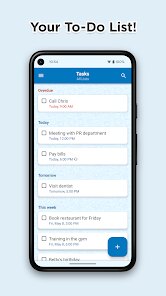
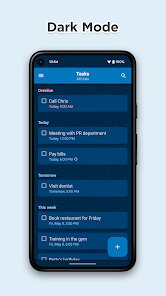
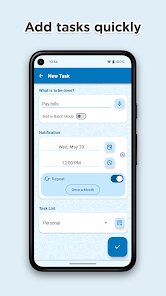
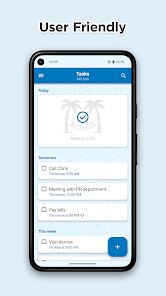
editor reviews
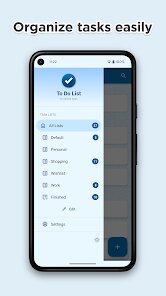
Let's be honest - in a world overflowing with to-do list apps, finding one that actually sticks without turning into a digital graveyard of unfinished tasks is no small feat. Splend Apps' To Do List enters this crowded arena with a straightforward promise: help you organize tasks simply and efficiently, without the overwhelming complexity found in project management tools. The app targets everyday users who need a reliable system for personal errands, grocery lists, study schedules, or light work tasks.
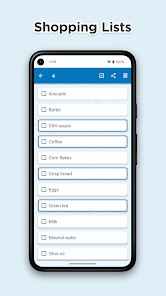
What struck me first was the app's clean, minimalist interface. There's no learning curve here - you open it, you start typing tasks, you check them off. Core features like creating lists, setting reminders, adding due dates, and organizing tasks by categories all work exactly as you'd expect. I found the reminder system particularly useful for my recurring tasks like weekly grocery runs and monthly bill reminders - things that always slipped my mind before. The app solved my biggest personal pain point: task visibility. Instead of juggling sticky notes and mental reminders, I finally had everything in one place where I could see deadlines at a glance.
I'd recommend this app to anyone who felt overwhelmed by more complex productivity tools like Notion or Trello and just needs a straightforward digital notepad with reminders. It's perfect for students keeping track of assignments, busy parents managing household tasks, or professionals who prefer simplicity over extensive project management features. If you're the type who downloads productivity apps only to abandon them a week later because of complexity, start here - this might actually be the one you stick with.
features
- 📋 Create and manage multiple lists with infinite subtasks - organize your shopping, work, personal goals, and random ideas all in separate lists without cluttering your view
- ⏰ Smart reminders with flexible scheduling - set one-time alerts, recurring reminders (daily, weekly, monthly), or location-based notifications that ping you when you arrive at the grocery store or office
- 🎨 Color coding and priority tags - assign urgency levels to tasks and use visual labels to instantly identify what requires immediate attention versus what can wait until next week
- 🔄 Share lists with family or coworkers - collaborate on shared shopping lists, team project tasks, or vacation planning without needing yet another communication app
pros
- 👍 Zero learning curve - you can start adding tasks within seconds of installation, no tutorial needed, which is rare for any productivity app these days
- 👍 No overwhelming features - it avoids the trap of trying to be everything to everyone and stays focused on basic task management that actually gets used
- 👍 Reliable widget support - the home screen widget updates instantly and shows your tasks without requiring page refreshes, making it genuinely useful at a glance
- 👍 Clean, ad-light experience - free version has minimal, non-intrusive ads that don't interrupt your workflow or tempt you to upgrade immediately
cons
- 👎 Limited backup options - if you switch phones or accidentally delete the app, there's no reliable way to recover your data unless you manually export
- 👎 No natural language input - you can't type "buy milk tomorrow at 3pm" and have it parsed automatically; you still need to manually set each reminder
- 👎 Occasional sync delays - when using the shared list feature, it sometimes takes up to 30 seconds for changes to appear on other users' devices
- 👎 Basic search functionality - searching through long lists can be frustrating because the search doesn't recognize partial phrases or synonyms effectively
Recommended Apps
![]()
Astra - Life Advice
Vert Media Partners4.4
![]()
Question.AI - Chatbot&Math AI
D3 DIMENSION TECHNOLOGY PTE.LTD.4.5
![]()
Anima
ChristopherMoore03.2![]()
Suno - AI Music & Songs Maker
Suno, Inc4.8![]()
Name Meaning
Dexati4.1![]()
Reface: Face Swap & AI Videos
NEOCORTEXT, INC.4![]()
Astroscope: Astrology Guide
Astroscope App4.5![]()
Passport Parking
Passport Labs, Inc.2.5![]()
AXS Tickets
AXS, LLC4.2![]()
Call Santa Claus & Prank Call
WELLY GLOBAL PUBLISHING3.5![]()
PawAI: AI Cartoon Pet Filter
Now Tech3.1![]()
Waymo
Waymo LLC4.9![]()
Live football TV
Findy360 Software LLC3.7![]()
Pedometer - Step Counter
Simple Design Ltd.4.8![]()
Face Live Camera: Face Filters
Lyrebird Studio4.1














You May Like
-
![]()
FORCETELLER Astrology & Saju
Team UN7QI34.5 -
![]()
Daily Horoscope & Astrology
TELEMAQUE4.2 -
![]()
Yahoo Sports: Scores & News
Yahoo4.7 -
![]()
Uber Eats: Food Delivery
Uber Technologies, Inc.4.3 -
![]()
How I will die - Predict death
Bimdu3.2 -
![]()
Quiz Reels: Filter Challenge
Now Tech3.9 -
![]()
Broken Screen 4K Funny Pranks
Braly JSC4.1 -
![]()
Prisma3D - Animation, Modeling
Prisma3D2.8 -
![]()
Wonder - LGBTQ+ Dating App
Bumpy Inc.4.3 -
![]()
PicSo – Customize Your AI Girl
Meta Insight3.7 -
![]()
Plant App - Plant Identifier
ScaleUp4.6 -
![]()
Software Update for my phone
Art & Tool Studio4.1 -
![]()
Kling AI: AI Image&Video Maker
Lohas Games Pte. Ltd.4.4 -
![]()
Google Home
Google LLC4.2 -
![]()
Fingerprint Scan Simulator
Dream-Up3.6















Disclaimer
1.Apponbest does not represent any developer, nor is it the developer of any App or game.
2.Apponbest provide custom reviews of Apps written by our own reviewers, and detailed information of these Apps, such as developer contacts, ratings and screenshots.
3. All trademarks, registered trademarks, brand names and company names or logos appearing on the site are the property of their respective owners.
4.Apponbest abides by the federal Digital Millennium Copyright Act (DMCA) by responding to notices of alleged infringement that complies with the DMCA and other applicable laws.
5.If you are the owner or copyright representative and want to delete your information, please contact us [email protected].
6.All the information on this website is strictly observed all the terms and conditions of Google Ads Advertising policies and Google Unwanted Software policy.
7.apponbest.com is an independent, information-only website which is 100% free to all the users.



























