Football Jersey Maker

5M+
Installs
AJ DEVS
Developer
-
Entertainment
Category
-
Everyone
Content Rating
-
https://jerseymakr.com/privacy-policy
Privacy Policy
Screenshots
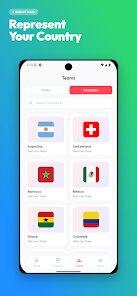
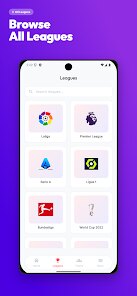
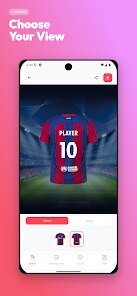
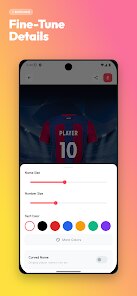
editor reviews
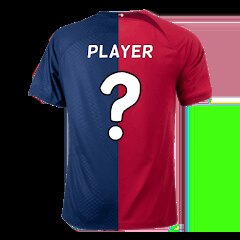
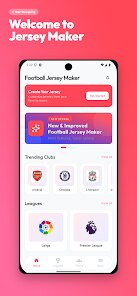
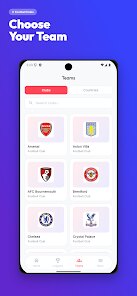
Football Jersey Maker by AJ DEVS carves out a pretty specific niche. It isn't trying to be a general graphic design tool. Instead, it focuses entirely on letting users build, customize, and visualize custom soccer jerseys right from their phone. The core idea is straightforward: you get a blank template, you pick colors or patterns, add numbers and text, and you see your creation on a player model. For anyone managing a weekend league team, organizing a charity match, or just wanting a unique shirt for a group of friends, this app aims to bypass the complicated software and streamline the whole design process into something manageable.
I started using it when I took over organizing kits for my five-a-side team. We wanted something that felt ours — a specific shade of green, our inside-joke team name, and numbers that didn't look like everyone else's. The app handled that surprisingly well. The main design screen is where most of your time will be spent, and it gives you solid control over the shirt's base layers, sleeve colors, and badge placement. It solved a real headache for me: the back-and-forth of trying to describe a design to a print shop or wrestling with a PC-based tool on a tiny laptop. Having everything contained in the phone, where I could just show the final mock-up to the guys at practice, was a massive time-saver.
That said, the additional features lean more toward completeness than innovation. Tools to share a design or export a simple image work, though they lack polish. There is also a section to view your saved designs, which is just basic management. The app does exactly what it promises for its core task, but it does not offer a lot outside of that. I would recommend this to anyone who needs to knock out a presentable team jersey design without a steep learning curve. It is best for local clubs, school teams, or casual groups where the priority is speed and accessibility rather than ultra-professional-grade graphics or complex manufacturer templates.
features
- 👕 The jersey builder is the anchor feature. It starts with a simple template and lets you adjust the primary and secondary colors, pick from a range of stripe and sleeve patterns, and place numbers on the front and back. The color picker is reactive, so you get a live preview of the whole shirt changing as you slide. It is responsive enough that you can test a dozen color combos in under a minute. The number and font choices are limited, but for most amateur team needs, they feel more than adequate.
- 🎨 The text and label customization adds personality. Beyond just the number, you can write team names, sponsor names, or even player nicknames across the chest or back. The font library isn't huge, but it includes the core styles you see in real kits — bold block letters, classic varsity, and a clean sans-serif. You can adjust the size and position with simple drag controls. This is where the app shines because it takes a generic template and gives it an identity that feels authentic to your group.
- 💾 The export and sharing options keep the workflow contained. Once your design is finished, you can save a high-resolution image directly to your phone's gallery or share it via messaging apps and social media. There is no complicated file format selection or resolution menu. It just gives you a clean image of the jersey on the mannequin. This makes it very easy to show teammates for a vote or send the final design to a local print shop without needing to explain what you want.
pros
- ✅ The interface is remarkably simple. You pick up the app and get a usable design in five minutes. There is no onboarding hurdle, no hidden menus.
- ✅ Customization range is broad for a mobile tool. You have real control over color, pattern placement, and text, which gives the final design a bespoke feel.
- ✅ The live preview is very helpful. Seeing the jersey change in real-time saves a lot of guesswork and prevents ugly color clashes before you commit.
cons
- ❌ The asset library is shallow. You only get a handful of patterns and badge templates. After making a few jerseys, the lack of variety starts to limit creativity.
- ❌ The font options are too few. While the base styles are okay, there is no way to add custom fonts or adjust kerning, which professional designers would miss.
- ❌ Occasional lag occurs when switching between heavy pattern layers. On older phones, the preview window can stutter, which interrupts the design flow.
- ❌ There is no layering or undo system. Once you apply a pattern, you have to manually remove it or start over if you change your mind, which gets frustrating.
Recommended Apps
![]()
Astra - Life Advice
Vert Media Partners4.4
![]()
Question.AI - Chatbot&Math AI
D3 DIMENSION TECHNOLOGY PTE.LTD.4.5
![]()
Anima
ChristopherMoore03.2![]()
Suno - AI Music & Songs Maker
Suno, Inc4.8![]()
Name Meaning
Dexati4.1![]()
Reface: Face Swap & AI Videos
NEOCORTEXT, INC.4![]()
Astroscope: Astrology Guide
Astroscope App4.5![]()
Passport Parking
Passport Labs, Inc.2.5![]()
AXS Tickets
AXS, LLC4.2![]()
Call Santa Claus & Prank Call
WELLY GLOBAL PUBLISHING3.5![]()
PawAI: AI Cartoon Pet Filter
Now Tech3.1![]()
Waymo
Waymo LLC4.9![]()
Live football TV
Findy360 Software LLC3.7![]()
Pedometer - Step Counter
Simple Design Ltd.4.8![]()
Face Live Camera: Face Filters
Lyrebird Studio4.1













You May Like
-
![]()
FORCETELLER Astrology & Saju
Team UN7QI34.5 -
![]()
Daily Horoscope & Astrology
TELEMAQUE4.2 -
![]()
Yahoo Sports: Scores & News
Yahoo4.7 -
![]()
Uber Eats: Food Delivery
Uber Technologies, Inc.4.3 -
![]()
How I will die - Predict death
Bimdu3.2 -
![]()
Quiz Reels: Filter Challenge
Now Tech3.9 -
![]()
Broken Screen 4K Funny Pranks
Braly JSC4.1 -
![]()
Prisma3D - Animation, Modeling
Prisma3D2.8 -
![]()
Wonder - LGBTQ+ Dating App
Bumpy Inc.4.3 -
![]()
PicSo – Customize Your AI Girl
Meta Insight3.7 -
![]()
Plant App - Plant Identifier
ScaleUp4.6 -
![]()
Software Update for my phone
Art & Tool Studio4.1 -
![]()
Kling AI: AI Image&Video Maker
Lohas Games Pte. Ltd.4.4 -
![]()
Google Home
Google LLC4.2 -
![]()
Fingerprint Scan Simulator
Dream-Up3.6













Disclaimer
1.Apponbest does not represent any developer, nor is it the developer of any App or game.
2.Apponbest provide custom reviews of Apps written by our own reviewers, and detailed information of these Apps, such as developer contacts, ratings and screenshots.
3. All trademarks, registered trademarks, brand names and company names or logos appearing on the site are the property of their respective owners.
4.Apponbest abides by the federal Digital Millennium Copyright Act (DMCA) by responding to notices of alleged infringement that complies with the DMCA and other applicable laws.
5.If you are the owner or copyright representative and want to delete your information, please contact us [email protected].
6.All the information on this website is strictly observed all the terms and conditions of Google Ads Advertising policies and Google Unwanted Software policy.
7.apponbest.com is an independent, information-only website which is 100% free to all the users.